How do I spend points?Updated 4 months ago
To redeem your points for a discount code, begin by clicking the menu in the top left of the page:

Then click the button at the bottom that says "Account":

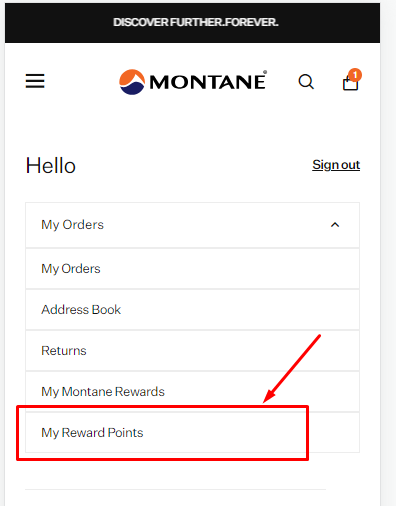
From this screen, click the drop down and select "My Reward Points":

Scroll down on this page and you will see the rewards you are able to redeem. When the code appears on the screen, make a note of it and you will be able to use it in the checkout.
A unique code will be shown on screen. Please make note of it, ready to enter into the discount code box.
To learn more about our rewards programme please visit our My Montane Rewards page.